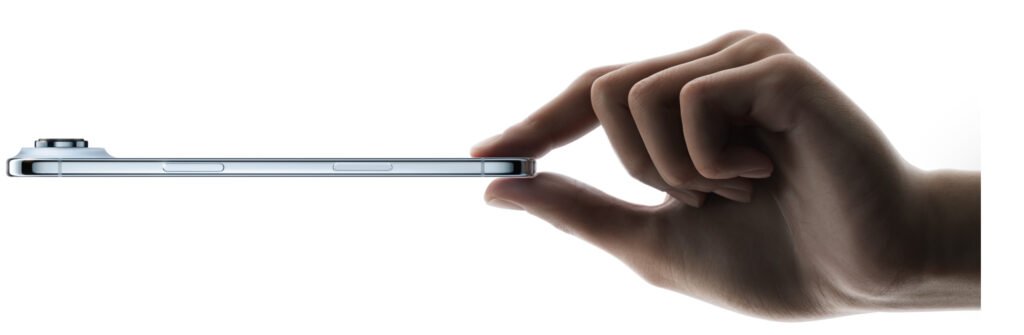
Meta Ray-Ban smart glasses Review– I have just been hands-on with Meta’s new $799 Ray-Ban display smart glasses. They have a display and a whole new transparent interface. And I’m going to level with you: this is the first time I’ve ever been convinced by a tech product designed for your face. There are a few things that aren’t there yet, but I was surprised that this already can start to show how smart glasses can do a lot of the things your phone can do, but better.

Highlight Features
- Neural band wrist controller for gestures
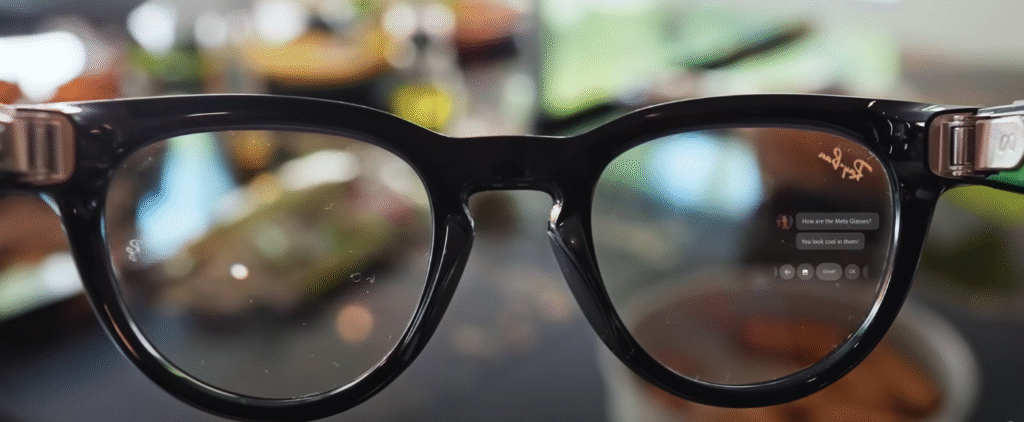
- Projected private display
- 5-microphone array for dictation & captions
- Transition lenses and custom battery
- Real-time translation and Meta AI integration
Which to Buy
| Feature | Recommendation |
|---|---|
| Casual Smart Glasses Experience | Buy if interested in early smart glasses tech |
| Camera & Media | Only for casual snapshots, not professional use |
| Messaging & Productivity | Useful with Meta apps and dictation |
| Price Sensitivity | Consider waiting for next-gen or cheaper alternatives |

Overview
Think of this product in three parts:
- The Glasses:
- Advanced version of normal Ray-Ban Meta glasses
- Camera now records in 2.5x resolution
- Two speakers (one per ear) and five microphones
- Transition lenses that automatically tint outdoors
- Bigger custom-designed battery
- Display: projected image slightly to the side of your right eye (not AR, fixed position)
- Storage Case:
- Premium feel
- Converts between glasses storage mode and flat-pack for pocket
- Neural Band Controller:
- Worn on your wrist, measures electrical impulses from wrist muscles
- Use hand gestures to control the display
- Extremely accurate with almost no accidental triggers
Design & Comfort
- Slightly chunkier than normal Ray-Ban Metas but comfortable
- Weight: 69g (normal Ray-Bans weigh 45g)
- Overextension hinges provide flexibility
- Comfortable for long sessions (tested for 1.5 hours straight)
Controls
- Touchpad on arms and capture button
- Neural band allows intuitive hand gestures:
- Double-tap to turn screen on
- Pinching, sliding, and rotating gestures
- Works anywhere (not camera-dependent)
Works like Apple Vision Pro gestures without eye-tracking
Software & Smartphone Integration
- 50% functionality currently reliant on smartphone
- Home screen shows events, notifications, time
- Swipe to see apps
- UI not fully smooth 60fps smartphone quality
- Tiny app selection (Meta apps: MetaMaps, Meta AI, etc.)
- Non-gimmicky, actually useful for WhatsApp, reading messages, opening links
Messaging & AI

- Respond to messages via:
- Voice notes
- Dictation (5-microphone array, highly accurate)
- Pre-made responses
- Writing on your leg one letter at a time (beta)
- Captions: isolates speaker in noisy environments
- Real-time translation possible (slight delay, high quality)
Apps & Multimedia
- Maps: real-time navigation arrows rotate with head movement
- Music: Meta-optimized Spotify app, good speaker quality but not fully private
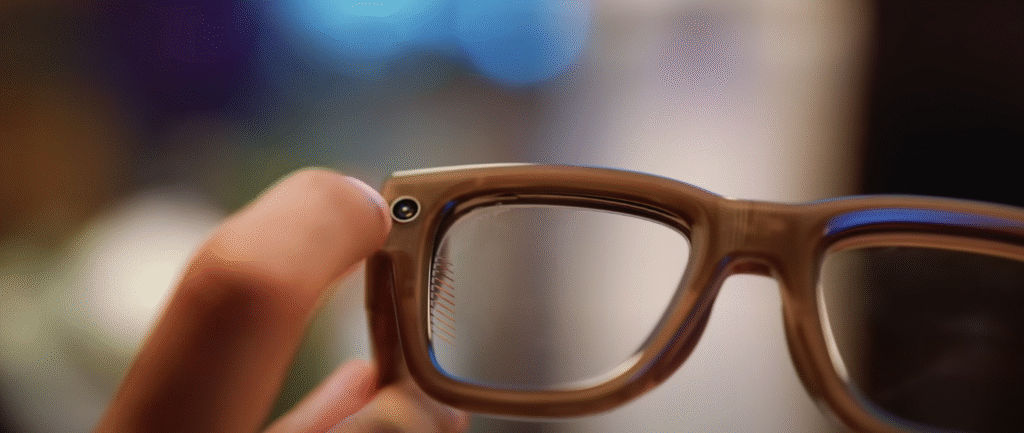
- Camera: 12MP photos, 3K video, 720p slow-mo
- Meta AI: recipes, peripheral vision info, follow-up questions, interface navigation
Verdict
- Not for everyone at $799
- Feels like an early Gen-One product
- Meta is normalizing smart glasses before Apple releases a more affordable Vision product
- Shows potential for rapid improvement
Pros & Cons
| Pros | Cons |
|---|---|
| Innovative projected display | Display not AR, fixed position |
| Comfortable design for extended use | Chunkier than normal Ray-Bans |
| Neural band hand gesture control | App ecosystem limited |
| Very bright inner display | Heavy reliance on smartphone |
| Private viewing (no one else sees your screen) | Camera quality like 8-year-old smartphone |
| Real-time captions & translation | Expensive at $799 |
| Five microphones for accurate voice input | UI not 60fps smooth |
| Transition lenses and premium battery | Not a full phone replacement yet |
Also Read- Pixel 9 vs Samsung Galaxy S24: Big Billion Day Comparison
Explore Meta Ray-Ban Smart Glasses
Get your hands-on Meta Ray-Ban Smart Glasses now for $799 and experience the future of wearable tech.
Check Latest Price & Buy
Note: Early Gen-One product — expect rapid improvements and new features in future models.
FAQs
Q1: Can these smart glasses replace a phone?
A: Not fully. Currently about 50% of functionality relies on your smartphone.
Q2: Are these glasses comfortable for long use?
A: Yes, tested for 1.5 hours straight without discomfort.
Q3: Does the display work outdoors?
A: Yes, it is extremely bright and privacy-friendly.
Q4: Can I control the glasses without the neural band?
A: Yes, you can use the touchpad and capture button on the arms.
Q5: How good is the camera?
A: 12MP photos, 3K video, 720p slow motion – decent but not high-end.